
Using Finviz for Forex Market Analysis and Insights
📊 Discover how Finviz enhances forex trading with in-depth market analysis, real-time news, intuitive charts, and smart screening tools for smarter trades.
Edited By
Laura Mitchell
TradingView has carved a niche for itself as a go-to tool among traders and investors worldwide, and it’s no different here in Nigeria. Whether you’re tracking the Nigerian Stock Exchange or global markets, TradingView offers a powerful, yet approachable platform for charting and market analysis.
At its core, TradingView provides real-time data, polished charting tools, and a blend of technical indicators that can suit both beginners and seasoned traders. More than just charts, it’s a social hub where ideas are shared, debated, and tested — adding a layer of community insight that’s often missing on other platforms.
This guide will walk you through the most important aspects of using TradingView effectively. From setting up your workspace and understanding the basics of chart reading to incorporating advanced indicators and tapping into the community resources, we’ll cover it all. Whether you're placing your first trade or managing a diversified portfolio, this article aims to give you practical pointers tailored for the Nigerian market and a broader financial perspective.
Knowing how to navigate and optimize TradingView can mean the difference between just watching the market and actively making it work for you.
Stay with me, and by the end of this guide, you’ll not only be comfortable using TradingView but ready to spot trading opportunities with confidence.
Understanding TradingView is the first step toward smarter market analysis. This platform brings together real-time data, charting tools, and a community of traders in one place, making it easier to spot opportunities and manage trades. For Nigerian traders and investors, TradingView offers a practical and affordable way to keep up with global markets without needing expensive software or complicated setups.
By getting to know TradingView’s core features and layout early on, users can navigate charts and tools efficiently, saving time and avoiding frustration. This section breaks down what TradingView is and why it’s become a go-to platform for many market participants, from casual investors to professional analysts.
TradingView is an online charting and social networking platform designed for traders and investors. Unlike some traditional chart software that demands installation, TradingView is web-based, so you can access it from nearly any device with an internet connection. It delivers a broad range of interactive charts powered by real-time market data across stocks, forex, cryptocurrencies, commodities, and more.
Think of it as having a financial cockpit where you can customize charts exactly how you like, use technical indicators, draw trendlines, and even backtest strategies without switching apps. For example, a Nigerian trader tracking Naira forex movements against the US dollar can overlay various indicators like MACD or Bollinger Bands directly on the chart to find entry points.
The main goal of TradingView is to help users analyze market conditions through clear, interactive charts and shared insights. Its user base includes everyday investors, day traders, financial analysts, and even educators sharing visual explanations.
For instance, a broker in Lagos might use TradingView to illustrate market patterns during client consultations, while a crypto trader in Abuja relies on its alerts feature to catch sudden price spikes. Its community aspect fosters idea sharing, giving users fresh perspectives and strategies.
One big reason traders stick with TradingView is how simple it is to navigate despite the powerful tools packed into it. Menus and icons are intuitive, so even newcomers can pull up a candlestick chart or add indicators without hunting through complicated settings.
Customization is easy too. You can switch chart types—from Heikin Ashi candles to Renko bars—with a click. This straightforward design cuts down the learning curve and helps traders focus on reading the market instead of fiddling with the software.
TradingView works smoothly across desktops, tablets, and smartphones. Whether you’re checking chart patterns from your office in Abuja or managing alerts on your phone while waiting for a bus in Lagos, the experience remains consistent.
This flexibility means you can react faster to market moves. For example, if you spot a breakout forming on the daily chart during your commute, you can adjust your positions on the app without delay.
TradingView also doubles as a social network for traders. Users publish analysis, discuss trading ideas, and follow others who share useful strategies. This interaction helps beginners learn and pros exchange viewpoints.
Imagine participating in a discussion about the Nigerian stock market’s trends or sharing a chart setup that worked well the other day. The feedback and different angles you get from this community can sharpen your trading game significantly.
TradingView combines powerful charting with social collaboration, turning market analysis into a more interactive and informed experience.
In short, getting familiar with TradingView sets the foundation for effective market tracking and trading, especially for traders looking for an all-in-one solution that’s accessible no matter where they are.
Setting up your TradingView account is the foundation for making the most of this powerful market analysis platform. Just like building a solid house starts with a good foundation, your TradingView experience begins here. Getting your account set right from the start helps ensure smooth navigation, personalized tools, and timely alerts that match your trading style. Whether you’re charting stock prices on the Lagos Stock Exchange or tracking forex pairs, a well-configured account makes all the difference.
TradingView keeps it simple when it comes to signing up. You can create an account using your email address, or speed things up by linking existing Google, Facebook, or Apple accounts. This flexibility means you’re not tied down and can get started quickly, especially when markets move fast. For example, an entrepreneur juggling business meetings can sign up with Google in seconds and begin tracking market shifts without skipping a beat.
Once registered, your account becomes the entry point to save charts, access watchlists, and engage with the community. It’s like your personal trading desk that’s always just a click away.
TradingView offers several subscription tiers to suit different needs, from casual traders to professional analysts. The Basic plan is free and includes essential charting tools and real-time data for many markets. It's perfect for beginners or those just experimenting.
If you want more, the Pro and Pro+ plans provide faster data updates, more indicators per chart, and additional saved chart layouts. The Premium plan goes further with unlimited alerts, enhanced customer support, and advanced features like custom time intervals—great if you're managing multiple portfolios. Nigerian traders who follow the NSE or crypto markets daily might find the upgrade worthwhile for more detailed analysis.
Keep in mind: If you’re testing the waters, start free. As your trading strategy matures, consider upgrading to unlock features that fit your style and goals.
Personalizing your TradingView profile is more than just adding a picture or username. It means tailoring the interface and functionality to fit how you trade. For instance, you can set your preferred market—like Nigerian Stocks or Forex—to make data load faster and charts more relevant.
You can also configure default chart types (candlesticks, line, bar charts), time zones, and even grid layouts. An investor based in Abuja, who trades mainly during local market hours, might set their timezone accordingly to avoid confusion over data timing.
These preferences help you save time and keep your workspace clean, so you focus on making decisions, not fiddling with the interface.
TradingView’s notification settings make sure you don’t miss critical market moves or alerts. You can choose to receive notifications via the platform itself, email, or push notifications through the mobile app.
For example, if you're tracking a breakout in the Bitcoin price, you can set an alert and have TradingView notify you immediately on your phone. This is especially helpful for traders balancing multiple jobs or commitments.
You can customize how intense these notifications are—setting just a few important alerts or many, depending on your bandwidth and focus. Managing these thoughtfully prevents alert fatigue and helps you keep attention on what matters.
Tip: Review your notification settings regularly to adjust for market conditions and personal schedule changes, ensuring you stay informed without getting overwhelmed.
Getting a handle on how to move around TradingView's interface is essential for making the most out of this platform. Whether you're tracking stocks, forex, or cryptocurrencies, knowing where to find your tools and how to customize your workspace can save you precious time and reduce frustration. The layout might seem crowded at first, but each element serves a specific function that helps streamline your market analysis.
TradingView's interface is designed to be intuitive and responsive, so learning the basics of navigation lets you focus on what matters — analyzing charts and making decisions. For example, quickly switching between different chart types or timeframes helps you catch shifting market trends before they slip away. Also, saving your setups means you won’t need to recreate your preferred view every time.
The core of TradingView is, without a doubt, the charting area. To analyze any asset, you first need to load a chart. This is as simple as typing the asset's ticker symbol into the search bar. For instance, if you're interested in the performance of Nigerian stocks, entering symbols like "ZENITHBANK" or "MTNN" pulls up their respective charts. Once open, you can move around seamlessly between different assets without reloading the page.
Saving charts ensures your settings—like indicator selections, drawing annotations, and timeframes—are preserved. This is handy when you resume your analysis later or switch devices. To save, just click on the floppy disk icon or select "Save" from the menu. Remember to name your charts clearly based on the asset or strategy, making retrieval easier. It's like keeping your notes organized—essential for serious traders who juggle many instruments.
TradingView offers an array of chart types beyond the classic candlestick, such as bar charts, line charts, Heikin Ashi, and Renko, each suited to different trading styles. For example, Heikin Ashi charts smooth out price fluctuations, which can help you spot trends more clearly, especially useful for those who like to ride longer market waves.
Switching chart types is straightforward—just click the chart style icon on the toolbar. By experimenting with these types, you tailor your view to what reveals the clearest signals. For example, day traders might prefer candlestick charts for detailed price action, while swing traders could find line charts less cluttered for big picture trends.
A crucial part of technical analysis is marking up your charts with lines, shapes, and notes. TradingView's drawing tools let you add trendlines, support and resistance levels, Fibonacci retracements, and text annotations directly onto charts. These serve as visual reminders and decision aids.
Using these tools is simple: choose your tool from the left-side toolbar, then click and drag on the chart. The beauty lies in its flexibility—say you spot a pattern like a head and shoulders formation, quickly sketching it out helps confirm the signal and share it with others in the community. Plus, annotations stick with your saved charts, so your insights stay put.
Markets behave differently over various timescales. The timeframe selector at the top of the chart lets you toggle from seconds to monthly views. A forex scalper might focus on 1-minute or 5-minute charts for quick trades, while a long-term investor could rely on daily or weekly charts to spot enduring trends.
Custom timeframes can be added depending on what you want to monitor. For example, if you're tracking the Nigerian Naira's daily volatility, switching between 15-minute and 1-hour frames provides a better feel for short-term fluctuations versus broader movements. This flexibility helps you analyze price action at the pace that fits your trading style.
Mastering how to navigate TradingView means less fumbling and more focused trading. It’s like having your toolbox exactly how you like it — everything within reach when you need it.
In short, getting comfortable with TradingView's interface is the stepping stone to efficient and insightful market analysis. Knowing how to open, save, customize charts, and use drawing and timeframe tools will level up your trading game considerably.
Technical indicators are a cornerstone of market analysis, offering traders a way to interpret price movements and predict future trends. On TradingView, these indicators become even more powerful tools thanks to the platform’s flexible and user-friendly interface. Whether you're eyeing stocks, forex, or cryptocurrencies, understanding how to use indicators can give you an edge. Technical indicators help filter noise from charts, highlight momentum shifts, and confirm trend directions, making them vital for smart decision-making.
Moving averages smooth out price data to create a single flowing line, which helps identify trends over time by filtering out the daily spikes or dips. The two most common types are the Simple Moving Average (SMA) and Exponential Moving Average (EMA). SMAs give equal weight to all data points, while EMAs give more weight to recent prices, making them more sensitive to the latest changes.
For example, if you're tracking Nigerian stock prices, applying a 50-day EMA could quickly show you shifts in momentum before the SMA does. This is especially handy in volatile markets where timely decisions are crucial. Moving averages also act as dynamic support and resistance levels—prices often bounce off these averages, which can guide entry and exit points.
The Relative Strength Index (RSI) and Moving Average Convergence Divergence (MACD) are two oscillators widely used to gauge momentum and trend strength. RSI measures the speed and change of price movements, swinging between 0 and 100. Traditionally, an RSI above 70 signals overbought conditions, suggesting a possible pullback, while below 30 indicates oversold territory, hinting at a bounce.
MACD, on the other hand, combines moving averages to reveal shifts in momentum. It consists of the MACD line, signal line, and histogram. When the MACD line crosses above the signal line, it can hint at a bullish shift, and vice versa for bearish signals.
In practice, if you're trading currency pairs like USD/NGN, using RSI and MACD together can help confirm whether a trend will continue or soon reverse, preventing you from jumping in at the wrong time.
Adding indicators on TradingView is straightforward. Start by opening your chosen chart, then click on the “Indicators” icon. From here, you can search for almost any popular technical indicator—including custom user-built ones—then click to add them right onto your chart. This immediacy allows you to test different tools without hassle.
For example, you might apply a 100-day SMA and RSI simultaneously to spot long-term trend direction with short-term momentum checks. Visual clarity matters here; stacking too many indicators can clutter charts and confuse the signal, so focus on those that serve your strategy best.
One of TradingView’s strengths is the ability to tailor indicators to your trading style. You can adjust look-back periods, smoothing techniques, or thresholds to suit the asset and timeframe you’re working with. For example, a 14-day RSI might feel too slow for day traders, who may prefer a 7-day period for quicker signals.
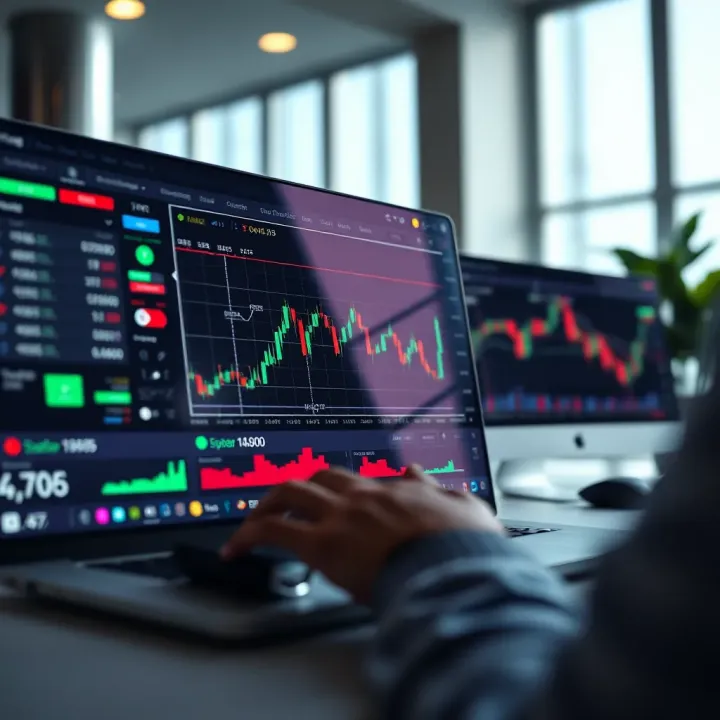
To customize, click on the indicator’s settings icon after adding it to your chart. Modify parameters such as period length, color schemes, and alert triggers. By tuning these settings, you align the indicators more closely with your personal market outlook and risk tolerance.
Remember, no indicator is a crystal ball—they all have strengths and limitations. The real skill lies in combining them sensibly and interpreting signals within the broader market context.
In short, effective use of TradingView’s technical indicators can sharpen your market sense, reduce guesswork, and lend confidence when making trades. Experimenting with both popular tools like moving averages and oscillators, alongside thoughtful customizations, sets a strong foundation for smarter market moves.
Staying alert to market movements without staring at charts all day is a real game changer for traders. Setting alerts and notifications on TradingView lets you keep tabs on your trades and market conditions even when you’re away from your desk. This is especially handy in Nigeria’s fast-moving markets where prices can shift before you can blink. Alerts help you react quickly, protect profits, and limit losses without burning out on constant monitoring.
Creating price alerts on TradingView is straightforward. Start by clicking the alert icon, often found at the top of your chart. You pick the exact price level or indicator condition you want to track—say, the Naira/USD forex pair reaching 460 Naira or Bitcoin’s RSI dropping below 30. Then you choose the alert’s duration, whether it’s a one-time alert or a repeat notification, and save it. This quick setup means you don’t have to monitor charts minute-by-minute because the platform does the watching for you.
TradingView offers several alert types to suit different trading styles:
Price level alerts: Trigger when a market hits a price you mark on the chart, good for simple entry or exit signals.
Indicator alerts: Activate when an indicator, like MACD crossing a signal line, meets your set conditions.
Drawing alerts: Useful if you track trendlines or support/resistance; an alert goes off when price touches these.
Custom script alerts: For advanced traders using Pine Script, alerts can trigger on more complex algorithmic criteria.
Having this variety means you can tailor your alerts to quick scalping setups or long-term investment milestones, keeping it flexible for your strategy.
Once you've set alerts, managing them is key to staying organized. TradingView keeps a complete history of fired alerts, so you can review what happened and when. This insight helps refine your strategy over time. If an alert is no longer needed or becomes irrelevant, you can easily delete it with a few clicks to avoid clutter. Keeping your alert list tidy avoids confusion and helps focus on only what's currently important.
TradingView lets you choose how you want to hear from it when alerts trigger:
Email notifications: Great if you want to catch updates on multiple devices or keep an alert log.
SMS messages: Useful if you don’t always have internet access but need to get price alerts promptly.
Push notifications: Sent straight to your phone or desktop app, these are ideal for instant, on-the-go updates.
Webhook triggers: For those who connect TradingView with other trading systems, webhooks push alert data automatically for fast automated responses.
By customizing how notifications come in, you cut through noise and get alerted in the way that best suits your workflow and lifestyle.
Pro tip: Avoid setting too many alerts for minor price changes. Focus on critical levels or signals to stay sharp and avoid alert fatigue.
With alerts and notifications set up properly, TradingView becomes your silent partner, constantly watching markets and giving you a heads-up the moment something important happens. This smart alerting system helps Nigerian traders stay competitive without being glued to their screens all day.
TradingView isn’t just about charts and technical analysis; it’s also a bustling marketplace of ideas where traders and investors come together. Its social and community features provide a space for sharing strategies, discussing market moves, and learning from each other. This social side is especially valuable for traders in Nigeria and elsewhere who appreciate direct insight into market sentiment and want to compare notes with more experienced players.
These features bring a more human element to market analysis. Rather than going it alone, you’re part of a crowd where ideas can be critiqued, refined, or even challenged. That interaction can speed up learning and improve trading decisions, making TradingView not just a tool but a community that elevates your skills.
One of the standout ways to engage on TradingView is by browsing through published trading ideas shared by experienced users. These ideas usually include charts annotated with entry points, stop losses, and target prices—all based on thorough technical analysis or unique insights. For example, you might find an analysis forecasting a reversal on a popular stock like MTN Nigeria or a pattern breakout on cryptocurrency pairs such as BTC/USDT.
Browsing these ideas helps traders spot potential opportunities they might have missed and gain perspective on different market conditions. Instead of guessing, following published ideas lets you see how seasoned traders approach the same market, offering clues about timing, risk management, and trend behavior. This practical exposure is invaluable, especially to new traders looking to avoid common pitfalls.
TradingView encourages engaging directly with the authors of published ideas through comments and questions. This interaction lets you clarify reasons behind a trader's call, discuss alternative scenarios, or ask for tips on interpreting specific chart patterns.
For instance, you could comment on a trade idea suggesting a breakout in Dangote Cement stocks, asking the author why they expect volume to spike. Such discussions often lead to deeper understanding and even prompt experienced traders to share additional insights or update their forecasts. Active engagement also helps build relationships, fostering a network of trusted analysts whose opinion you can rely on in future trades.
Contributing your own charts and market ideas is a great way to reinforce your understanding and get feedback from the community. When you publish, it’s not just about showing off your analysis; it’s about inviting constructive input to refine your approach.
For example, if you’re testing a new strategy on Nigerian equities or crypto pairs, publishing your setup can provide real-world proof points and illuminate overlooked aspects. Over time, your published ideas can showcase your growth as a trader—making it easier to connect with others who share your interests or trading style.
One of the powerful benefits of sharing your work is the feedback loop from other traders. This feedback can come as suggestions, critiques, or validation and helps you identify blind spots or improve confidence in your strategies.
Rather than working in isolation, trading becomes a collaborative effort. You might receive advice to tweak an indicator setting or reconsider risk parameters, which can make a significant difference in performance. Engaging with feedback also sharpens critical thinking and builds resilience—qualities that separate successful traders from those who falter at the first signs of challenge.
In financial markets, crowd-sourced analysis often beats solo efforts. Taking advantage of TradingView's social features can help you stay sharp, connected, and ahead of the curve.
Combining analytical tools with a vibrant community sets TradingView apart, making it an essential platform for traders aiming not only to follow charts but also to grow through interaction and shared wisdom.
Connecting TradingView with a brokerage account takes your trading experience to a new level. Instead of juggling multiple platforms, you get to analyze charts and place trades all in one spot. This integration saves time and reduces the chance of missing out on market moves, especially when every second counts. For traders in Nigeria, where market conditions can shift quickly, having everything under one roof is a real advantage.
TradingView links directly with certain brokers through secure APIs. Once you connect your broker account to TradingView, the platform acts as a hub—streamlining your market analysis and order execution. For example, brokers like OANDA, FXCM, and Interactive Brokers support this feature, allowing you to trade forex, stocks, and CFDs right from the TradingView charts.
You typically authorize TradingView to access your brokerage account using login credentials or secure tokens. This connection enables real-time data flow both ways: you see live market prices and can send orders without switching apps. It’s like having a control panel with your charts on one side and your trades on the other.
The main perk is convenience. No more copying and pasting price points between platforms or manually entering trade details. When you spot a setup on a chart, you can act immediately, which reduces slippage and missed opportunities.
Connected trading also allows for better risk management. For example, you can set stop-loss or take-profit levels directly on your charts and have them applied to your live positions seamlessly. Plus, managing multiple trades gets easier since your orders and account info are all in one place.
Note: Not all brokers support every asset class, so check which markets are available through your TradingView-broker link.
TradingView offers access to several common order types when you trade through an integrated broker. These include:
Market orders – Executed immediately at the current price.
Limit orders – Set a specific price to buy or sell.
Stop orders – Triggered once the price hits a particular level, handy for stop-loss or entering breakouts.
Trailing stops – Dynamically follow the price to lock in profits while limiting losses.
Having these options right at your fingertips from the chart lets you tailor your entries and exits precisely. For Nigerian traders dealing with volatile pairs or stocks, this flexibility is key.
Linking your trading account to any third party calls for caution. TradingView uses encryption and secure protocols to protect data and transactions, but you should still be mindful:
Always use strong, unique passwords for both TradingView and your brokerage account.
Enable two-factor authentication where available.
Regularly review connected apps and revoke access for those you no longer use.
Avoid public Wi-Fi when placing trades; use a secured network.
By following these steps, you reduce the risk of unauthorized access and keep your funds safe while enjoying the seamless trading experience TradingView integration offers.
Integrating TradingView with brokers turns market analysis into immediate action. It cuts down on friction and helps traders respond fast to market changes without shuffling through different platforms. If you want to make your trading workflow smoother and more efficient, this connected approach is well worth exploring.
In today's fast-paced trading world, having access to market data and analysis tools on the move isn't just a convenience—it's a necessity. The TradingView mobile app brings powerful charting and alert features right to your smartphone, allowing you to keep an eye on market shifts whether you're commuting, waiting in line, or catching a quick break.
This section digs into the practical benefits of using TradingView's mobile app, focusing on features that make trading more flexible and responsive for both beginners and seasoned traders.
One of the most useful parts of the TradingView mobile app is its ability to provide detailed charts anywhere, anytime. Imagine you're on a bus heading to work and suddenly remember a news event might impact your stocks. Instead of waiting to get home, you can pull up interactive candlestick charts, zoom in on specific time frames, and switch between different types of charts like Heikin Ashi or Renko. These charts update in real-time, so you get an accurate snapshot of market movements as they happen.
For instance, when monitoring the Nigerian Stock Exchange, having quick access to live charts can help you spot trends early or identify potential entry points without being glued to a desktop.
Push notifications on TradingView act as your personal market watchdog. You can set alerts for price levels, indicator movements, or breakout events and get instant updates right on your phone screen. This immediate info can save you from missing vital opportunities or avoid unnecessary losses.
Let’s say you've set an alert for when the currency pair USD/NGN hits a certain rate — as soon as the rate crosses that point, you get a nudge via notification. This feature means you don't have to keep checking constantly, freeing you up to focus on other tasks without losing touch with market changes.
TradingView’s mobile app is designed keeping the smaller screen size in mind, but there are ways to fine-tune your setup for an even better experience. You can customize chart layouts by hiding unnecessary indicators or simplifying toolbars, making the interface less cluttered and easier to navigate. Rotating your device to landscape mode often reveals more chart details, balancing space between price action and volume.
If you're using an Android device with split-screen functionality, you can even run TradingView alongside a news app like Bloomberg or CNBC, letting you react to market-moving news and update your charts side by side.
In Nigeria and other regions where mobile data can be costly or connectivity spotty, managing data usage on TradingView mobile is crucial. Turning off features like live news feeds or automatic chart loading can trim down the app's data appetite. Also, setting longer timeframes on charts rather than seconds or minutes reduces how frequently data refreshes.
Another handy tip is using Wi-Fi for heavier activities, like saving multiple chart layouts or downloading indicator templates, and then switching back to mobile data for casual monitoring. This practice helps keep your monthly data bills in check without sacrificing the benefits of on-the-go analysis.
Remember, successful trading means staying informed but also being smart about the tools and tech you use. The TradingView mobile app strikes a solid balance between power and portability, making analysis on the move achievable and effective.
With these insights, you’re equipped to make the most of TradingView’s mobile features—turning your phone into a mini command center for market analysis wherever you go.
TradingView is a solid tool for anyone diving into cryptocurrency markets. This sector moves fast and is often more volatile than traditional markets, making precise charting and quick data access crucial. Whether you’re tracking Bitcoin's wild swings or Ethereum’s steady climbs, TradingView offers tools built to keep pace with crypto's rapid rhythm.
Using TradingView for crypto means you can monitor tons of currency pairs and spot price and volume trends on the fly. Plus, the platform’s flexibility lets you customize charts and alerts in ways that match the unique quirks of crypto trading.
TradingView supports a wide variety of cryptocurrencies—from the heavyweights like Bitcoin (BTC) and Ethereum (ETH) to smaller altcoins such as Cardano (ADA) or Polkadot (DOT). You can view multiple pairs, like BTC/USD or ETH/BTC, letting you trade or analyze both fiat-to-crypto and crypto-to-crypto comparisons.
This variety is especially handy for traders looking to diversify or hedge positions. For example, if you suspect Bitcoin might dip but want to stay in the market, you could watch BTC/USDT and ETH/USDT pairs to see which holds up better.
Focus on pairing choices helps you understand market depth and liquidity, important for executing trades without slippage.
Watching volume alongside price movements gives you a clearer picture of market sentiment. On TradingView, volume bars show how many coins have been traded within a timeframe, highlighting spikes that often precede significant price shifts.
If you see a sudden volume surge paired with rising prices, that's usually a strong signal that buyers are pushing the market up—maybe due to a news event or a shift in investor mood. Conversely, price climbs without volume support could mean a weak move prone to reversal.
For instance, if Bitcoin's price pushes above a resistance level but volume trails off, caution is advised—such breakout might not hold.
Trend following means hopping onto trades where the market shows a clear direction. With crypto’s notorious volatility, this strategy helps avoid whipsaw movements by sticking to the longer-term momentum.
Using TradingView, traders can apply moving averages or the Average Directional Index (ADX) to confirm trends. For example, if Bitcoin’s 50-day moving average crosses above its 200-day moving average—a golden cross—it’s a classic sign that a bullish trend may be underway.
Suppose you spotted this on TradingView: waiting to buy after confirmation lets you surf the wave instead of fighting against it.
Breakout trading targets moments when a cryptocurrency moves decisively out of a previous range—like breaking through a resistance or dropping below support. This approach benefits from crypto's tendency for explosive price action.
TradingView’s drawing tools make identifying these levels easy; mark key resistance lines and watch for strong candle closes above them. Combine this with volume indicators, and you’ll better guess whether the breakout will lead to follow-through or false alarms.
For example, when Ethereum breaks past its previous high with high volume, entering a position early can ride the momentum for decent gains.
Quick tip: Always watch out for fake breakouts in crypto; these often trap traders before reversing quickly. Confirm with multiple indicators to reduce risks.
In short, TradingView offers an extensive toolkit tailored for the fast-paced and sometimes unpredictable world of cryptocurrencies. By understanding which coins to track, how to interpret volume alongside price, and applying solid strategies like trend following or breakout trading, traders can better navigate crypto markets with confidence.
TradingView offers a powerful toolkit, but Nigerian traders face unique challenges and opportunities that make tailored advice essential. From navigating currency issues to tapping into the right brokerages, understanding local conditions is a must. Let’s dig into some practical tips and considerations that will help Nigerian traders make the most of TradingView.
Nigerian traders often need to juggle the naira against major currencies like the US dollar or euro. This means watching exchange rate fluctuations closely, as they can impact both the buying power for foreign assets and overall profits. For instance, if the naira weakens, it might cost more to buy US-listed stocks even if the share price stays steady.
On TradingView, it helps to monitor forex pairs like USD/NGN or EUR/NGN. Set up alerts for big swings, so you get a heads-up when exchange rates hit certain levels. Pay attention to macroeconomic news from Nigeria, such as Central Bank policies or oil price changes, since they directly affect the naira’s strength.
Gaining access to international markets isn’t always straightforward in Nigeria. Many local traders can’t use some global brokers due to regulations or account verification hassles. However, some Nigerian-friendly brokers, like Bamboo, Trove, and Chaka, offer platforms that integrate well with TradingView.
It’s smart to choose brokers that provide direct order execution from TradingView charts if you want quicker trades. Always verify the broker’s reputation, fees, and compliance status. Having the proper documentation ready, like valid ID and proof of residence, speeds up account approvals and minimizes frustration.
Scams targeting traders in Nigeria remain a big concern. Fraudulent schemes often promise guaranteed returns or insider tips but only aim to steal money or data. On TradingView, be cautious about following trading ideas that promise unbelievable profits.
Here's what you can do:
Stick to verified users with a solid track record in their published ideas.
Don’t share private login details, especially when interacting with strangers.
Be wary of unsolicited messages offering exclusive tips.
Your personal information is gold for cybercriminals. Protect your TradingView account by choosing strong passwords and enabling two-factor authentication (2FA). Avoid using the same passwords across multiple platforms.
Also, update your device’s security software regularly and be careful when accessing your accounts from public WiFi. Data breaches can lead to unauthorized trades or personal information leaks — which you definitely want to avoid.
Remember, the best defense is a mix of vigilance and sensible habits. By understanding local market quirks, choosing reliable brokers, and keeping security tight, Nigerian traders can confidently use TradingView to improve their market analysis.
Dealing with technical hiccups is almost part and parcel of using any advanced platform like TradingView. Understanding how to troubleshoot common issues is not just helpful—it can save you valuable time and keep your trading strategy on track. Whether it’s a sudden glitch with charts not loading or account-related snags, being prepared ensures you won’t miss critical market moves.
If your charts refuse to load properly on TradingView, two simple checks often do the trick: clearing cache and cookies, and making sure your internet connection is solid.
Clearing cache and cookies helps erase old or corrupt data that might be interfering with chart display. Browsers store this data to speed up loading times, but when it gets outdated or cluttered, it can cause charts to freeze or not update.
Go to your browser settings (Chrome, Firefox, etc.)
Find the section for "Privacy" or "Clear browsing data"
Select "Cached images and files" and "Cookies and other site data"
Confirm and restart your browser before checking TradingView again
This simple step often restores smooth charting without any need for deeper troubleshooting.
Checking internet connection is equally important. TradingView charts are data-heavy, updating in real-time, so a shaky network can cause delays or incomplete load.
Here’s what to do:
Run a speed test to gauge your internet stability
Switch to a wired connection if Wi-Fi is spotty
Restart your router or modem
Avoid bandwidth-heavy activities during trading sessions, like streaming or large downloads
Fixing these basics will usually get your charts back up and running swiftly.
Sometimes issues crop up outside the charts—especially around accessing your account or managing your subscription. Knowing how to tackle these ensures you keep full control over your TradingView experience.
Password recovery is a common concern, especially when you forget login details. TradingView offers a straightforward process:
Click on the "Forgot password?" link on the login page
Enter the email linked to your account
Check your inbox for a password reset link (also check spam folder)
Choose a strong new password and update
A strong password protects your account, so avoid using obvious ones like "123456" or your birthdate.
Managing billing issues might include updating payment methods, checking subscription status, or resolving charges. TradingView provides easy access to these options:
Log into your account and visit the "Account & Billing" section
Review upcoming payments, invoices, or update card details
For subscription cancellations or downgrades, follow prompts under "Subscription plan"
If something looks off, contacting TradingView’s support swiftly is recommended so they can assist without delay.
Keeping these troubleshooting steps at hand can turn frustrating moments into quick fixes, letting you focus on what matters—analyzing the market and making informed trades.
Wrapping up this guide, it’s clear that TradingView is more than just another charting platform — it’s a full toolbox for traders aiming to sharpen their market edge. This final section ties together all the key points and lays out practical moves you can take right now to step up your trading game. For someone in Nigeria or anywhere else, understanding these next steps can mean the difference between wandering in the dark and making confident trading decisions.
TradingView shines because of its intuitive charting tools, extensive indicator library, and vast global community. Unlike platforms buried in clunky menus, TradingView allows you to pull up a chart for Nigerian stocks or international forex pairs in seconds, then customize every line and plot to fit your style. Its cloud-based setup means you can hop from your desktop at home to your phone while on the move, without missing a beat. The platform’s integration with brokers like Interactive Brokers and OANDA makes it a solid hub for both analysis and execution.
Beyond just tools, TradingView’s social feature gives traders a chance to peek into others' strategies, making learning collaborative instead of lonely. Think of it like joining a lively marketplace where ideas fly as freely as prices do.
TradingView supports traders by combining technical analysis with social interaction and real trading features. For example, alerts keep you in the loop without staring at screens all day. You can set price alerts that ping your phone as soon as Bitcoin hits a certain level — no fumbling through charts required.
Moreover, traders gain from the custom indicators and backtesting features that help you test strategies on historical data before risking real cash. This hands-on experience is like a flight simulator for trading, letting you learn from mistakes without burning money. For Nigerian traders, staying connected with global markets while managing MTN or Dangote shares becomes more manageable and efficient.
Setting goals is the first course in any trader’s recipe for success. Start small — for example, aiming for consistent monthly returns of 2-3% rather than dreaming of instant millionaires. Realistic targets keep you grounded and help you avoid the common pitfall of chasing quick wins that turn into losses.
Focus on what you can control: your risk per trade, the quality of your setups, and sticking to your trading rules. If your goal is to grow a portfolio over 12 months, use TradingView to track progress and adjust strategies rather than throwing darts in the dark.
The markets never stand still, and neither should you. Continuous learning means regularly revisiting your trades, understanding market news, and adapting your approach. Join TradingView’s vibrant community, read experts’ published ideas, and experiment with new indicators or chart types.
Moreover, consider following reputable educators and analysts who share timely insights — this keeps you from becoming stale and ensures your trading remains relevant in volatile times. For instance, during Nigeria’s currency fluctuations, adjusting your approach based on new data and chart signals can save you from unwanted losses.
Remember, trading is a marathon, not a sprint. Staying curious and patient is as important as having the right tools.
By combining the features covered in this guide with a clear plan and a learner’s mindset, you set yourself up for steady improvement — whether day-trading Nigerian equities or investing in gold futures internationally.
📊 Discover how Finviz enhances forex trading with in-depth market analysis, real-time news, intuitive charts, and smart screening tools for smarter trades.
📈 Explore how Nigerian traders can mix TradingView with Deriv for smarter decisions! Step-by-step setup, strategies, and benefits inside.
📊 Learn how to combine TradingView's charts with Deriv's platform for smarter trades in Nigeria. Step-by-step setup, signal linking, and expert tips included.
Learn how to integrate TradingView charts with binary options platforms 🔄 Enhance your trading strategies with clear steps & tips, tailored for Nigerian traders 🇳🇬
Based on 7 reviews