
How to Use TradingView for Binary Options Trading
📈 Master binary options trading with TradingView.com! Learn tool tips, chart setups, indicators, broker integration & risk tactics all in one place.
Edited By
James Hamilton
Trading in today's markets demands more than just luck—it requires sharp tools and smart decisions. TradingView stands out as one of the leading platforms delivering a powerful yet user-friendly interface that aids traders in making informed choices.
Whether you are just starting with trading or have been in the game for years, understanding how to navigate and use TradingView effectively can give you an edge. This guide will walk you through the essential features of TradingView, practical ways to apply them, and how you can adapt these strategies to the trading scene in Nigeria.
Good trading isn’t about chasing tips; it’s about analyzing the right data, spotting trends, and timing your moves. And that’s precisely where TradingView shines.
In the sections ahead, we'll cover everything from basic navigation and chart reading, to setting alerts, using complex indicators, and considering factors specific to the Nigerian market such as local stocks, currency pairs, and economic events. By the end, you should feel confident to use this platform to sharpen your trading skills and make smarter, data-driven decisions.
TradingView's role in today’s trading world can't be overstated. Before diving into the nuts and bolts, it's important to understand why TradingView has become a go-to platform for traders and investors, especially those keen on making informed decisions without juggling multiple tools. It offers an all-in-one environment for analyzing markets, tracking assets, and exchanging ideas.
Fundamentally, TradingView streamlines access to a massive variety of financial charts and data, which is essential for making smart trading calls. This platform suits traders from different skill levels and backgrounds. For instance, a retail trader in Lagos can use it to monitor Nigeria’s stock market, spot emerging trends, and adjust strategies on the fly. Similarly, an investor in Abuja might rely on its tools to keep track of global commodities influencing the local economy.
TradingView's purpose here is to bridge the gap between complexities in market data and user-friendly, actionable insights — making market analysis accessible and less daunting.
TradingView is more than just a charting service; think of it as a social network built around stock market charts, forex, crypto, and more. Its core strength lies in providing a browser-based platform where users interact with real-time data and sophisticated charts without needing heavy software installations. This accessibility allows traders and investors from all walks of life, including busy professionals or part-time traders, to stay connected to the markets 24/7.
It brings together extensive market data with intuitive charting tools, letting users customize views according to personal trading styles. For example, one trader might prefer candlestick charts with moving averages, while another leans towards Renko charts for spotting clearer trends.
Traders and investors from beginner to pro levels use TradingView. Nigeria’s stock market enthusiasts, forex traders hunting for currency swings, and even crypto fans find it handy. Even financial advisors and brokers in Nigeria tap into TradingView for its comprehensive charts and community insights.
The main attraction is how it combines analysis and social interaction. A new trader learning the ropes can follow seasoned analysts sharing their setups. Meanwhile, experienced traders get to create custom indicators or scripts for unique strategies. Ultimately, users turn to TradingView because it saves time, improves accuracy, and opens doors to a global community.
At its core, TradingView excels in charting and technical analysis. Traders know that charts are their window into market behaviour, and TradingView not only offers numerous chart types but also a huge library of technical indicators – from RSI and MACD to Bollinger Bands. This range helps users break down price movements and spot potential entry or exit points.
Take a swing trader tracking a Nigerian bank stock: using volume indicators alongside price patterns on TradingView helps determine if the stock is likely to rally or fall. This level of detailed analysis, all accessible in one place, makes the trading process more confident and less stressful.
Beyond charts, TradingView thrives because of its community features. Traders share ‘ideas’, which are essentially annotated charts or strategies posted for public viewing. This peer-to-peer sharing is a game-changer—it allows beginners to see real examples of how others interpret the market, complete with explanations and setups.
You might find a day trader’s take on the Nigerian stock market opening hours or insights on the USD/NGN forex pair during economic announcements. Users can comment, ask questions, and even collaborate, making TradingView feel less like a tool and more like a buzzing trading hub.
TradingView’s community aspect not only educates but also keeps traders connected to market sentiment, a vital part often missing in solo trading.
This blend of powerful tools and a collaborative spirit is what puts TradingView a step ahead in the modern trading scene.
Understanding the key features and tools on TradingView lays the groundwork for making sharper trading decisions. This platform is not just about viewing charts; it's about interacting with a spectrum of functionalities designed to give you real-time insights and control. From personalized charting options to alert systems, each tool helps traders in Nigeria and beyond get a clearer picture of the markets and act promptly when opportunities arise.
Charting is the heart of TradingView. The platform offers multiple types of charts, including line, bar, candlestick, Renko, and Heikin Ashi. Each type brings a unique perspective – for instance, candlestick charts are favored for their detailed price action, while Renko charts help filter out noise by focusing on price movement rather than time.
Customizing charts to fit your style can significantly improve how you interpret the market. TradingView allows adjusting time frames, adding multiple indicators, and saving chart layouts. For example, a swing trader might set up a weekly chart overlayed with moving averages and RSI, then save this layout to avoid repetitive setup every session.
Tailored chart views mean you can zero in on what matters most, cutting out the fluff and keeping your eyes on the prize.
Popular technical indicators on TradingView include the Moving Average Convergence Divergence (MACD), Relative Strength Index (RSI), Bollinger Bands, and Fibonacci Retracements. Each indicator serves a different purpose: MACD helps spot momentum shifts, RSI signals overbought or oversold conditions, and Bollinger Bands indicate volatility.
Drawing tools play a practical role in marking trends and identifying key levels. Traders often use trendlines, horizontal support and resistance levels, and Fibonacci arcs to visualize patterns and predict price moves. For example, drawing a trendline connecting swing lows can highlight a potential breakout point.
Using these tools together creates a powerful toolkit, enabling traders to combine quantitative signals with visual cues – which can make a real difference when timing entries or exits.
Setting price and indicator alerts on TradingView is a game-changer for traders who can't be glued to their screens all day. You can set an alert when a stock crosses a specific price, or when an indicator hits a certain threshold, like RSI dropping below 30. These alerts can be configured for one-time signals or repeated notifications.
Managing and receiving notifications is straightforward. Alerts can be sent via email, SMS, or as pop-ups within the app. This flexibility helps traders in Nigeria stay updated without the hassle of constantly refreshing charts. For instance, a day trader could get an SMS when the EUR/USD pair hits a target level, allowing quick action in volatile Forex markets.
Proper use of alerts ensures you don’t miss critical moves, even when life pulls you away from your trading desk.
By mastering these features, traders can enhance their overall efficiency and precision, ultimately leading to smarter trading decisions.
Jumping into TradingView without a proper start can feel like stepping into a complex maze. That's why understanding how to get started matters—it sets a solid foundation for making the most of the platform's tools. For traders and investors in Nigeria especially, getting familiar with the basic setup helps avoid wasted time and missed opportunities.
First things first, signing up is quick and straightforward. Head to TradingView’s homepage and hit the "Sign Up" button. You’ll be asked for your email address and a password, or you can opt to link a Google or Facebook account for convenience. Once you confirm your email, your account is ready to roll. This initial step opens the door to exploring charts, applying indicators, and tailoring your trading experience.
The practical perks are clear: without an account, you’d be limited to just viewing public charts without any customization. Having your own account means you can save your preferences, set alerts, and participate in the vibrant TradingView community.
When you log in, TradingView's interface might seem busy at first glance but don’t be overwhelmed. The main window features the chart area at the center—the heart of your analysis. To the left, you'll find the toolbar packed with drawing tools like trend lines, Fibonacci retracements, and text notes. The right pane hosts watchlists and chat boxes where you can engage with other traders.
Up top, the menu bar lets you switch between different chart types—candlestick, bar, line—and a range of timeframes from seconds to months. Knowing these elements helps you navigate quickly, so you can witness market action in real-time and apply your strategies without tripping over the layout.
Getting comfortable with these interface components early on will save you plenty of headaches down the road. It’s like learning the controls before driving a new car.
A watchlist is like your market radar. Adding symbols to it is simple. On the right side of the screen, click on the watchlist panel and hit the "+" button. Type in the ticker symbol or company name—say, "ZENITHBANK" or "DANGCEM" for Nigeria’s stock symbols—and select the correct one from the dropdown. Hit enter, and it’s added.
This lets you monitor multiple stocks, forex pairs, or cryptocurrencies all in one place, giving a quick snapshot of how your chosen assets are performing without jumping around screens.
Organizing watchlists the right way can boost your workflow enormously. TradingView allows you to create multiple watchlists, so consider dividing them by asset class or strategy. For example, one list might cover Nigerian equities, another forex pairs like USD/NGN, and a third for global commodities.
Besides naming your watchlists descriptively, rearrange symbols by dragging them up or down depending on priority. You could put your top trading opportunities right at the top to avoid scrolling. Also, remove symbols you no longer track to keep the list clutter-free.
Smart organization not only saves time but helps keep your trades aligned with your goals, reducing the risk of overlooking important market moves.
TradingView is a versatile platform that suits various trading styles, whether you're looking to scalp the market or hold positions for months. Understanding how to tailor its tools to your particular approach is vital for making smarter trading decisions. From quick tick-by-tick updates that day traders need, to deeper analysis for swing traders and long-term investors, TradingView provides the flexibility needed to match different strategies.
For day traders, timing is everything, and losing just a few seconds can mean the difference between a profit and loss. TradingView’s real-time chart updates ensure you’re seeing the freshest market data without delay. This is especially important in fast-moving markets like forex or popular tech stocks where price changes happen quickly.
The platform updates your charts instantly as new trades execute, helping you react straightaway to market moves. Traders can zoom into minute-by-minute or even second-by-second intervals, spotting patterns like breakouts or reversals as they form. This live data flow is crucial when entering and exiting trades within a single session to maximize gains and cut losses swiftly.
Apart from watching the price action, day traders need to act fast. TradingView supports integration with various brokers allowing quick order entries right from the chart interface. This saves precious moments compared to switching windows or manually entering lots of info.
You can set up one-click buy and sell buttons, adjust stop-loss or take-profit levels on the fly, and use order tickets that pop up directly on the price chart. This streamlined workflow minimizes errors and helps maintain focus during hectic trading sessions. For example, a trader monitoring the Naira-Dollar forex pair can quickly jump in and out as the exchange rate fluctuates intraday.
Swing traders rely heavily on technical indicators and chart patterns to catch trades that last days to weeks. TradingView's huge library of indicators—RSI, MACD, Fibonacci retracements, and many more—helps highlight ideal entry and exit points. By combining these with candlestick patterns or trendlines, traders can refine potential setups.
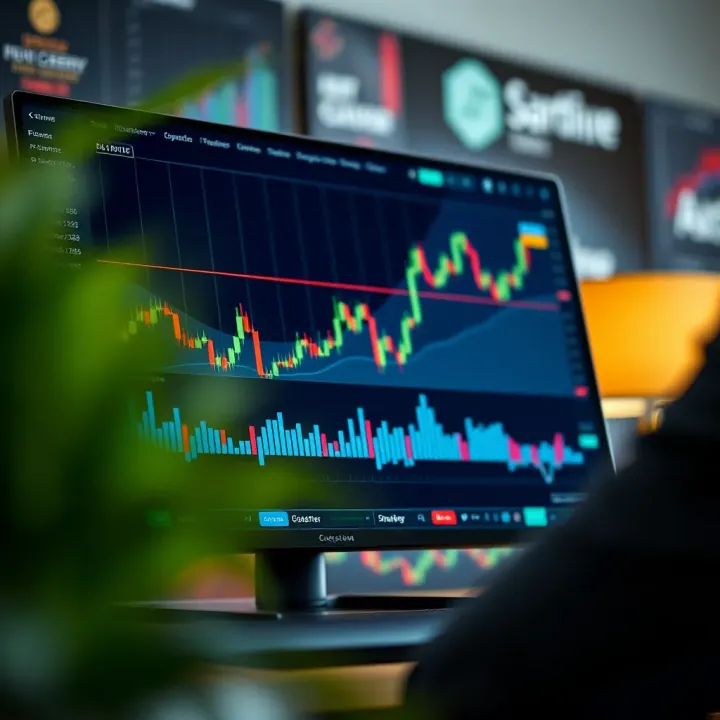
For instance, spotting a bullish engulfing candle on a weekly chart combined with an RSI moving out of oversold territory may signal a strong buy opportunity. TradingView also allows you to save your favorite layouts, so you can quickly scan multiple instruments looking for these setups.
Before risking real money, testing your swing trading ideas on historical data is smart practice. TradingView’s Pine Script language lets you create and run backtests of custom strategies. Even many pre-built scripts are available in the public library for beginners to explore.
Backtesting shows how a strategy would have performed under varying market conditions, revealing strengths and weaknesses. For example, you might test a strategy based on moving average crossovers on Nigerian stocks like Dangote Cement to see if it would have caught profitable swings. This data-informed approach builds confidence in your trading plan.
Long-term investors often consider more than just price charts—they also want insights into company health and broader economic trends. TradingView offers fundamental overlays like earnings reports, dividends, P/E ratios, and other financial metrics directly on some charts.
Overlaying these figures can help investors timing buys or sells more judiciously. For example, if a stock like MTN Nigeria’s price drops but fundamentals remain strong, an investor might hold rather than panic sell. These overlays blend technical and fundamental analysis for a fuller picture.
Markets tend to move in cycles, and long-term investors benefit from spotting these big-picture trends. TradingView makes it easy to scroll back years, zoom out to monthly or quarterly charts, and identify secular trends or major turning points.
For instance, following the Nigerian Stock Exchange All Share Index over a decade can highlight phases of growth and contraction. Setting alerts on key levels ensures investors don’t miss pivotal moments, like breakouts signaling a return to bullish times. This long-view focus helps avoid knee-jerk reactions and supports patience.
Whatever your trading style—fast-paced day trading, methodical swing trading, or steady long-term investing—TradingView's adaptable tools can help you analyze markets more effectively and trade with confidence.
In today’s fast-moving markets, relying solely on basic charts and indicators isn’t enough—you need the edge that advanced tools and community resources provide. TradingView’s strength lies not just in its technical capabilities, but in how it taps into collective wisdom and customization options. These features help traders of all levels fine-tune their approach, spot hidden opportunities, and share insights that might otherwise remain locked away.
For example, say you’re a swing trader focusing on emerging trends—you might deploy custom indicators or scripts to identify breakout points or volume anomalies before others notice. On the other hand, day traders benefit from community-shared real-time setups that highlight volatile stocks or currency pairs. These tools and resources reduce guesswork, making your trading a bit more science and less luck.
TradingView’s Pine Script is a scripting language tailored for traders who want to stretch beyond pre-built tools. It lets you design your own indicators, alerts, or entire trading strategies without needing heavyweight coding skills. Imagine you want an indicator that blends RSI with volume spikes to catch strong momentum moves — Pine Script makes that possible.
The language operates with a straightforward syntax, focusing on clarity and simplicity. You define inputs, calculation steps, and output displays, usually within a few lines of code. This means you can modify popular indicators or build new ones that complement your trading style.
To grasp Pine Script’s practical use, consider a simple moving average crossover alert customized to trigger only during specific market hours. Or a volume-weighted average price (VWAP) band that adapts dynamically to volatility. Traders share these scripts in TradingView’s public library, where you can test and tweak them before incorporating into your workflow.
Customization can extend even to setting alerts on combinations of indicators, like when MACD and Bollinger Bands align in a particular way. This helps you catch nuanced setups missed by standard indicators.
TradingView thrives on its active community, which constantly churns out fresh ideas and market analyses. Exploring what other traders post introduces you to diverse perspectives—whether it’s a swing trading setup on the Nigerian Stock Exchange or forex pair analysis relevant to local markets.
You’ll find charts annotated with entry/exit points, shared patterns such as head and shoulders, or evolving market news commentary. Engaging with these insights can spark new strategies and help avoid common pitfalls.
If you’ve spotted a solid setup or developed a custom indicator, sharing it lets you contribute to the vibrant TradingView forum. You can publish chart snapshots with detailed notes explaining your reasoning. This can build credibility and invite feedback, honing your skills further.
Step-by-step, sharing requires selecting your chart, adding annotations like trend lines or notes, then posting it with relevant tags (e.g., #NSE, #forex, #swingtrade). Interacting with comments fosters a two-way street for learning.
Leveraging TradingView’s advanced tools and collaborative environment transforms your trading from routine to strategic. Whether you’re coding a tailored indicator or exchanging ideas with other traders, these resources boost your chances in the Nigerian markets and beyond.
TradingView has grown into a powerful tool for traders worldwide, but its relevance to Nigerian traders is especially notable given the unique market conditions in Nigeria. Understanding how to effectively utilize TradingView in this local setup can provide a real edge, from accessing local stocks to trading popular forex pairs, and even syncing with Nigerian brokers. This section breaks down the specifics to help Nigerian traders adapt TradingView's global tools into practical, on-the-ground uses.
TradingView includes a selection of Nigerian stocks from the Nigerian Stock Exchange (NSE), which offers exposure to sectors like banking, consumer goods, and energy, critical drivers of Nigeria's economy. Including companies like Dangote Cement, Guaranty Trust Bank, and Nigerian Breweries, these listings provide traders with a gateway to local market performance and investment opportunities.
Keep an eye on the sector trends while trading local equities because NSE stocks often respond strongly to domestic news. For example, a change in government policy on tariffs might immediately hit stocks in manufacturing or oil sectors.
In Nigeria, forex trading remains highly popular, with currencies like USD/NGN (US Dollar to Nigerian Naira), EUR/USD, and GBP/USD topping the charts. TradingView’s real-time forex charts allow traders to track these pairs with up-to-the-minute accuracy, essential for managing this particularly volatile market.
The USD/NGN pair is especially important since it often reacts to foreign exchange policies and oil price fluctuations, which weigh heavily on Nigeria’s economic stability. Having TradingView alerts set for price changes in this pair could save a trader from unexpected losses.
To find Nigerian stocks, start by typing the company name or ticker symbol into TradingView’s search bar, then filter results to include 'NSE.' Also, check that the exchange code is set for Nigeria to avoid confusion with similar tickers in other markets.
Remember, not every stock listed on the NSE immediately appears on TradingView, so be ready to cross-check with official NSE listings. Some Nigerian stocks may require manual addition or verification, but once added, you can apply TradingView's full suite of tools for analysis.
TradingView’s data for Nigerian stocks can sometimes be delayed or limited due to exchange feed restrictions. Real-time data is not guaranteed for all NSE-listed stocks unless you subscribe to professional data tiers.
As a workaround, some traders use third-party plugins or data providers approved in Nigeria and then manually input or sync this data to TradingView. Another trick is combining TradingView’s analysis tools with brokers’ platforms that offer live Nigerian market feeds.
It's worth noting that staying updated with official NSE notices and economic news complements the technical analysis done on TradingView, especially when data lags occur.
Several Nigerian brokers have begun supporting TradingView integration, including firms like Merlin Securities, AFEX, and Trove. These partnerships allow traders to link their TradingView account directly and execute trades without switching platforms.
Check if your broker supports TradingView’s API for both seamless trade execution and data sharing. This feature is a game-changer for Nigerian traders who want to combine TradingView's analytical strength with local market access.
Connecting your broker involves entering your broker's credentials securely through TradingView’s ‘Trading Panel.’ After authentication, you gain access to real-time trading directly on the TradingView interface.
This integration allows you to place orders, modify stops, and monitor open positions in real-time without flipping between apps. Just remember to double-check account types and ensure your trading permissions are properly configured.
By making use of integrations, Nigerian traders can streamline their workflow, cutting down execution time which is crucial, especially in fast-moving forex markets.
Incorporating these tailored approaches to the Nigerian market can make TradingView far more than just a charting software—it becomes a genuine ally in crafting smarter trading decisions that fit local realities and opportunities.
Having access to trading tools while on the move is no longer a luxury but a necessity. For traders in Nigeria, where market conditions can shift quickly, being able to check charts, set alerts, or make decisions right from your phone can mean the difference between catching an opportunity or missing out. TradingView's mobile access bridges the gap between desktop analysis and the fast-paced mobile world, letting you stay connected to the market wherever you are.
Charting and alerts on mobile play a big role in how traders keep up with volatile markets. The mobile app doesn’t just provide a smaller screen version of the desktop—it offers interactive charts where you can zoom, scroll, and even add indicators as you would on your computer. Imagine you’re watching the Naira/USD pair during a news event; you can instantly set an alert for a price breakout without waiting to get back to your desk.
Synchronization with desktop ensures that changes you make on one device show up on all others automatically. For example, if you add a new symbol to your watchlist on your desktop at work, it’ll be ready to view on your phone during your commute. This seamless sync means you never lose track of your analysis and can switch devices without skipping a beat. The convenience is particularly useful for traders who jump between devices throughout the day.
Managing notifications is essential to avoid getting overwhelmed. TradingView lets you customize alerts for specific price points, indicators, or even plotlines, and you can decide how you want to receive these notifications—push alerts, emails, or SMS. For instance, if you’re focused on specific stocks like Dangote Cement or MTN Nigeria, setting targeted alerts helps avoid noise from less relevant market moves.
Optimizing performance on smartphones may sound technical, but it boils down to easy steps that keep the app running smoothly. Closing other apps, keeping your phone updated, and occasionally clearing TradingView’s cache can improve speed and reduce battery drain. On mid-range or older devices common in the Nigerian market, these tweaks help you stay connected without frustrating lag or crashes.
Mobile trading isn't just about convenience, it's about staying a step ahead—wherever you are and whenever action calls.
By tapping into TradingView's mobile capabilities, Nigerian traders can keep a pulse on their investments without being glued to a desk. This kind of flexibility can be a real game-changer, especially in fast-moving markets.
Understanding the subscription plans and pricing options on TradingView is vital for traders who want to make the most of the platform. Whether you're just starting or have been trading for a while, choosing the right level of access can make a real difference in your trading efficiency and analysis capabilities. This section breaks down the practical benefits of each plan, helping you make an informed decision without overspending or missing essential features.
TradingView's free version is quite generous compared to other platforms. It offers basic charting tools, real-time market data for many assets, and a limited selection of technical indicators—usually up to three per chart. For many casual traders or beginners, this can be enough to test strategies and get comfortable with technical analysis.
One standout feature is the ability to create a watchlist and access most chart types, including candlestick, bar, and line charts. You can also set up a few alerts, though these come with restrictions on complexity and quantity. The mobile app syncs seamlessly with the desktop version, so you stay updated even on the go.
The free plan does come with some notable restrictions that could impact more serious traders. For instance, the number of indicators per chart is capped at three, which quickly becomes limiting if you use multiple tools like MACD, RSI, and Bollinger Bands simultaneously. Also, only one chart layout per tab is allowed, so you can't compare multiple timeframes on the same screen.
Another limitation is on alerts: free users only get one active alert at a time without advanced conditions, which might make it tricky to monitor several assets or setup complex triggers. Furthermore, there are ads displayed in the interface which can be distracting. If you mainly trade Nigerian stocks or forex, you might find the limited access to certain pro-level features restrictive as your needs grow.
TradingView offers several paid tiers: Pro, Pro+, and Premium. Each step up opens up more room for indicators (up to 25 for Premium), multiple chart layouts, additional device logins, and enhanced alert capabilities. For example, Pro users get up to 10 alerts with improved customization, while Premium users can set up to 400 alerts, including webhook and email triggers.
Beyond that, higher plans support advanced features like faster data updates, more extensive second-based intervals, and priority customer support. For instance, Pro+ or Premium users can view multiple charts simultaneously in split layouts— a must-have for day traders or forex traders who juggle multiple currency pairs.
Picking the right plan boils down to your trading style and how deep you want to go with analysis. If you’re a casual trader or just starting, the free plan is a solid place to begin. But if you find yourself hunting for more indicators, multiple charts, or advanced alerts, upgrading to Pro could be worth it.
For swing traders or those managing several positions, Pro+ offers a nice balance of features without breaking the bank. Premium is typically reserved for professional traders needing heavy customization and a large number of alerts — for example, an active trader monitoring Nigerian Exchange stocks alongside global markets.
Remember, it’s better to start with a plan you can afford and upgrade later as your trading needs grow, rather than paying for features you won’t use.
In summary, knowing the capabilities and drawbacks of TradingView's various plans will help you get the most value from the platform, ensuring you're not paying for extras that don't benefit your trading strategy.
Even the best traders slip up sometimes, and on platforms like TradingView, it's easy to make common errors that dilute your analysis or confuse your entry points. Knowing what to steer clear of not only saves you time but also sharpens your edge in the market. Let’s explore typical pitfalls users face and how understanding these can keep your strategies on track.
Picture this: Your TradingView chart is a jungle of lines, colors, and oscillators—more confusing than helpful. Overloading charts with too many indicators may seem like you’re covering all your bases, but it often does the opposite. It muddies the decision-making process, making it hard to spot what truly matters. When there’s a mess of RSI, MACD, Bollinger Bands, moving averages, and a dozen other indicators all clashing, the signal gets lost in the noise.
Keeping things simple lets you focus better on price action and the few indicators that complement your trading style. For instance, if you’re a swing trader mainly using moving averages and RSI, piling on extra oscillators might complicate your calls unnecessarily.
Not all indicators are created equal, and picking the right ones depends on your trading goals and market. Start by zeroing in on a couple of tools that provide different insights without overlap. For example, combine a trend-following indicator like the 50-day moving average with a momentum indicator such as the RSI to capture broader market direction and strength.
Test these choices over historical data on TradingView’s charts. Look for consistency in how they signal entries or exits. Avoid the trap of adding indicators just because they’re popular; instead, focus on tools that work for you. It’s better to have a clean chart where signals stand out clearly than a cluttered screen begging for a headache.
Volume often flies under the radar but is one of the most powerful pieces of the puzzle. It tells you whether a price move is backed by strong participant interest or just a fleeting spike. Imagine a stock breaking out to a new high; if volume surges alongside, it’s a strong confirmation. But if volume is weak, that breakout could be a trap.
Avoiding volume analysis can lead to mistimed trades or false alarms. On TradingView, you can add volume bars beneath your chart easily, making it straightforward to watch how activity ebbs and flows with price changes.
Volume is the market’s heartbeat — listen to it, and you’ll catch the real moves.
While price and volume dominate, other data layers can enrich your analysis. For example, open interest gives clues in futures and options about participants’ commitment levels. Similarly, watching bid-ask spreads can alert you to liquidity issues that might affect your entries and exits.
Don't forget fundamentals either, especially for longer-term trades. Earnings dates, dividend announcements, or major economic releases often trigger sharp moves, so syncing TradingView alerts with these events can keep you a step ahead.
In summary, blending technical signals from charts with volume and select market data creates a fuller picture for making informed decisions. Skipping these details could leave you blindsided at critical moments.
By avoiding clutter, choosing indicators wisely, and paying attention to volume plus essential market data, you’re set to squeeze more value from TradingView. Keeping your approach tidy and grounded in the key facts separates casual chart-watching from serious trading.
Getting the most out of TradingView goes beyond just knowing how to navigate its features. Smart use of the platform’s tools can mean the difference between catching a timely market move and missing out. By customizing alerts and engaging actively with the TradingView community, traders can sharpen their edge in the Nigerian markets and beyond.
Setting up personalized alerts on TradingView is like having a personal assistant watching the markets for you. When done right, alerts help you react faster to price movements without staring at the screen all day. For instance, if you’re tracking the price of MTN Nigeria or the Naira to USD exchange rate, you can receive notifications when certain levels are hit, allowing you to make timely decisions whether you’re physically at your desk or on the move.
Alerts improve timing by notifying you the moment your criteria are met, cutting down reaction time that often means lost profits or missed opportunities.
Best practices for alert setups include:
Keep your alerts focused: Use key price levels or indicator thresholds rather than every tiny movement. Too many alerts become noise.
Use meaningful conditions: For example, setting an alert for RSI crossing above 70 can signal an overbought condition.
Test alerts before relying on them: Ensure notifications come through your chosen channels (email, app push) promptly.
By strategically setting alerts, you can automate your watchlist and avoid constantly refreshing charts—a real time saver that helps you focus on high-probability trades.
TradingView isn’t just a charting tool; it’s a social environment for traders worldwide. Engaging with the community in Nigeria and beyond offers insights you won't find alone.
Learning from other traders means you get access to different trading styles, idea approaches, and market interpretations. For example, a swing trader in Lagos might share a unique perspective on how to read volume spikes in the Nigerian Stock Exchange, which could widen your own analysis toolbox.
Participating in discussions allows you to ask questions, get feedback on your setups, and stay up-to-date on market happenings directly from peers. Being active can also lead to spotting trading mistakes early by hearing others' critiques or advice.
Together, these interactions turn TradingView into a practical learning platform—not just a charting service. Participating regularly can boost both your skills and confidence in execution.
By taking advantage of personalized alerts and community engagement, you set yourself up for smarter, faster, and more informed trading using TradingView. These practical steps target real daily challenges traders face, helping you keep pace with Nigeria’s dynamic markets and global shifts simultaneously.
Even the best trading platforms like TradingView aren't immune to technical hiccups or user misunderstandings. Knowing where to find help and how to troubleshoot common issues can save precious time and keep your trading on track. This section will guide you through the most common technical problems and the best ways to resolve them, ensuring you don't get stuck staring at a frozen chart during crucial market moves.
One of the most frustrating issues traders face on TradingView is charts that refuse to load or appear blank. This problem can result from unstable internet connections or browser incompatibilities. Sometimes too many browser extensions or cached data clog things up, causing the platform to misbehave. A quick fix is to clear your browser cache or try opening TradingView in a different browser, like switching from Chrome to Firefox. You might also want to check your internet speed; if it’s sluggish, even the best platforms struggle to load content smoothly.
In some cases, TradingView's servers might be having temporary issues. Before panicking, you can check their official status pages or social media updates—this can save you from unnecessary troubleshooting.
When you tinker endlessly with chart settings or indicators, it’s easy to get lost or accidentally mess up your workspace. TradingView offers an option to reset your chart layout to default which helps if your display looks confusing or cluttered. It’s a lifesaver when you just want to start fresh without recreating your watchlists or losing your saved data.
To reset, look for the “Reset Chart” option usually under the chart settings menu. A simple click often restores your view to a clean slate. This feature is particularly handy if an indicator’s parameters get mixed up or if multiple drawing tools overlap and make the chart unreadable.
If you hit a wall with a technical glitch or have specific questions about TradingView features, the official support channels are your first port of call. TradingView provides a help center packed with guides, FAQs, and troubleshooting tips. They also offer customer support through email and sometimes chat during business hours.
Using these official routes means you get advice tailored directly from the platform’s developers, reducing guesswork. For those serious about trading, connecting with official support ensures you handle issues quickly and keep your analysis uninterrupted.
Besides official support, a treasure trove of helpful content lies within trading communities and forums. The TradingView community itself hosts discussions where experienced traders share solutions, scripts, and tweaks that can solve uncommon problems. Websites like Reddit’s r/TradingView or specialized trading education forums also host tutorials that walk you through specific issues.
Video tutorials on YouTube are a great visual resource, showing step-by-step how to fix problems like syncing your broker account or setting custom alerts. Trust me, watching someone click through the menus often explains things better than just reading.
Pro tip: Bookmark a few trusted forums and channels so you can quickly get help from fellow traders who’ve likely faced the same challenges.
By staying connected to both official and community support, you’ll navigate TradingView’s features more confidently and troubleshoot issues more efficiently. This approach helps you focus on what really matters – making smart, timely trading decisions.
📈 Master binary options trading with TradingView.com! Learn tool tips, chart setups, indicators, broker integration & risk tactics all in one place.
📈 Explore how Nigerian traders can mix TradingView with Deriv for smarter decisions! Step-by-step setup, strategies, and benefits inside.
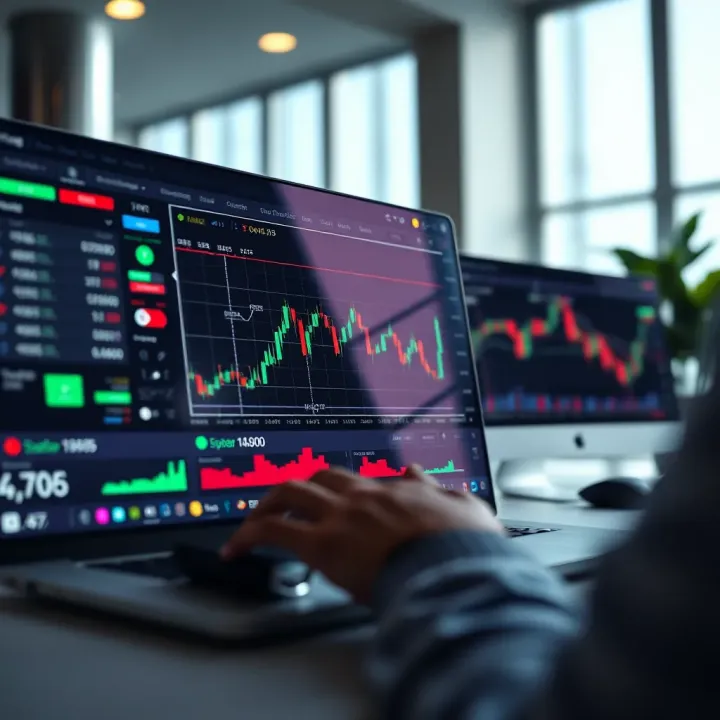
🌍 Explore TradingView in detail! Learn to set up charts, use indicators & join a community for smarter market analysis in Nigeria and beyond 📈
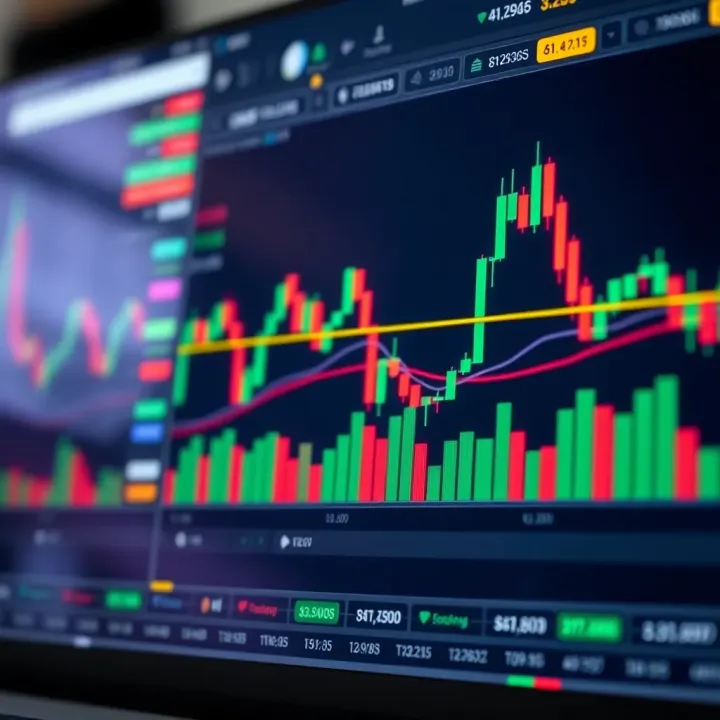
📊 Learn how to combine TradingView's charts with Deriv's platform for smarter trades in Nigeria. Step-by-step setup, signal linking, and expert tips included.
Based on 7 reviews